Your match. Your way.
Beta 1.5 puts the three ways to take a match side by side: run it from the touchline, play it yourself or go straight to the result. Plus a controller that feels right, passes that find their man, and a quicker game.
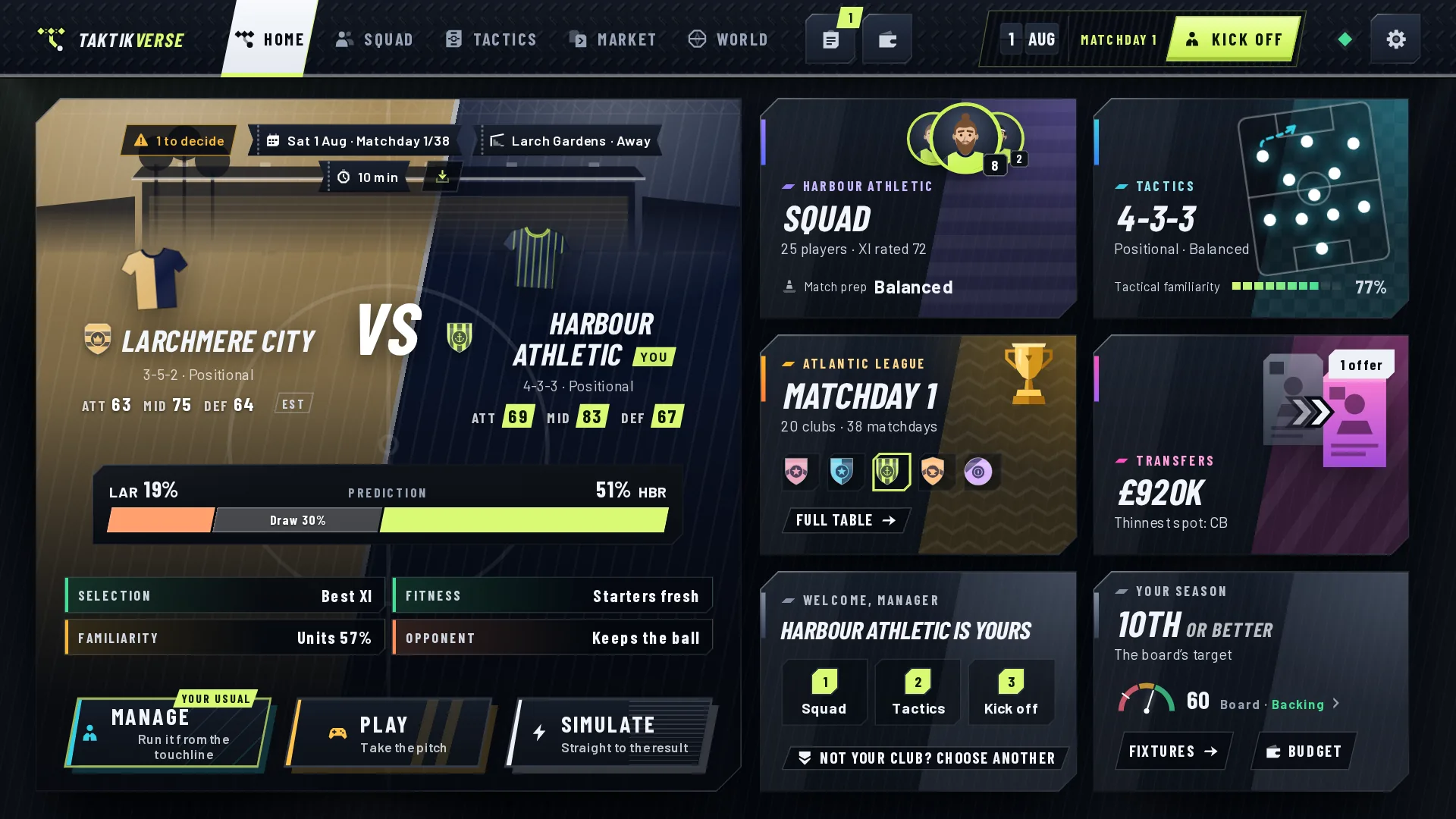
All three, side by side.
You could always take a match three ways. Manage runs it from the touchline. Play puts you on the pitch. Simulate takes you straight to the result. Now all three sit side by side, the same size, wherever a match starts: on Home, in the team news before kick-off and on the Kick off key in the top bar.
Mix them as you like: a cup tie you play yourself, a league game you manage, a dead rubber you simulate.
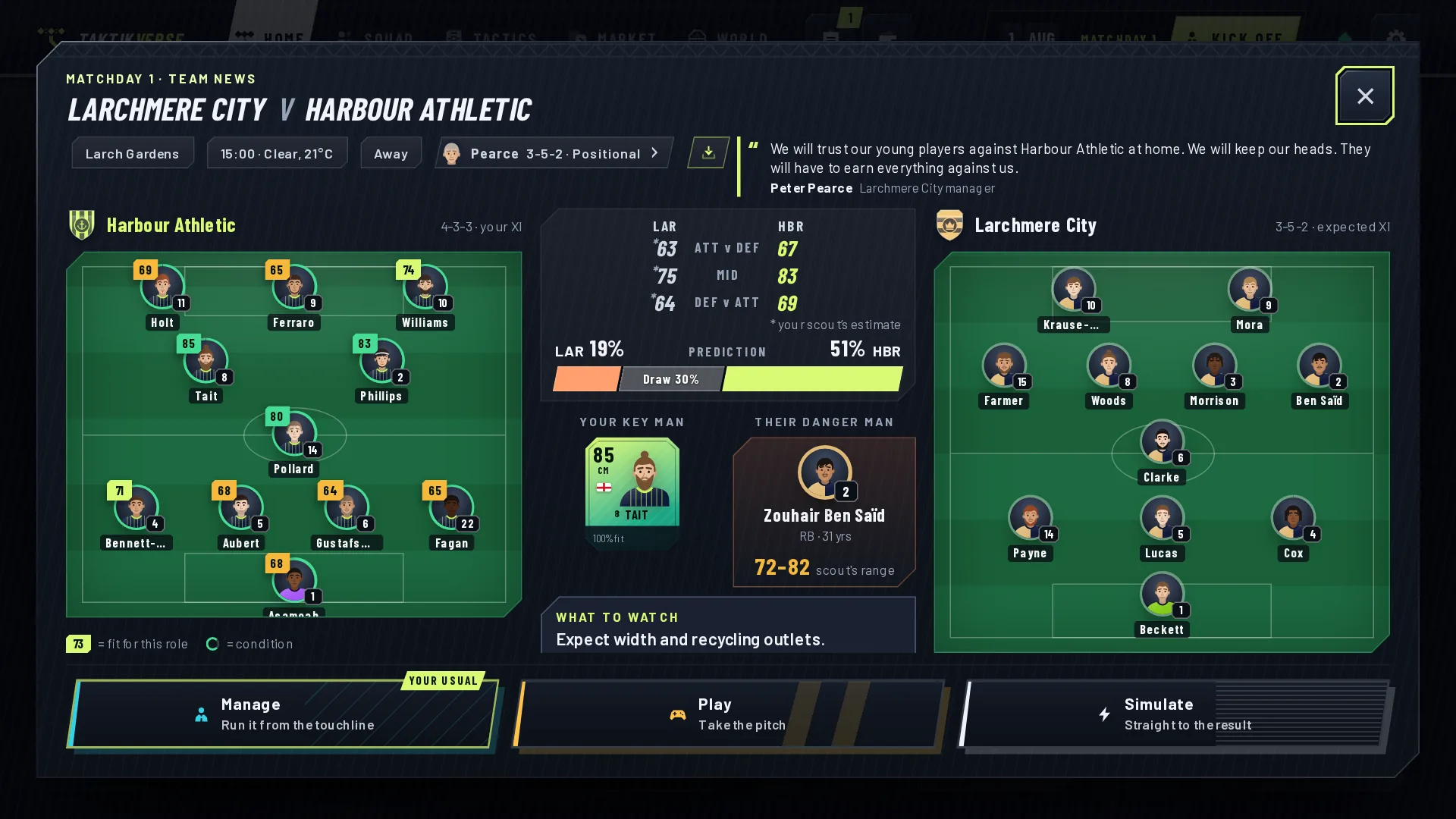
It learns your usual.
The game remembers how you take each kind of match: an ordinary league game, a big one, a decider. That way comes first, marked Your usual. The other two are one press away.

Prefer the same way every time? Settings › Match › How you take a match: remember my choice, or always Manage, always Play, always Simulate. A new career asks you once, as you set it up.
Change your mind mid-match.
Pause any match and choose Simulate the rest. It plays on to full time at once, with your assistant on the bench.
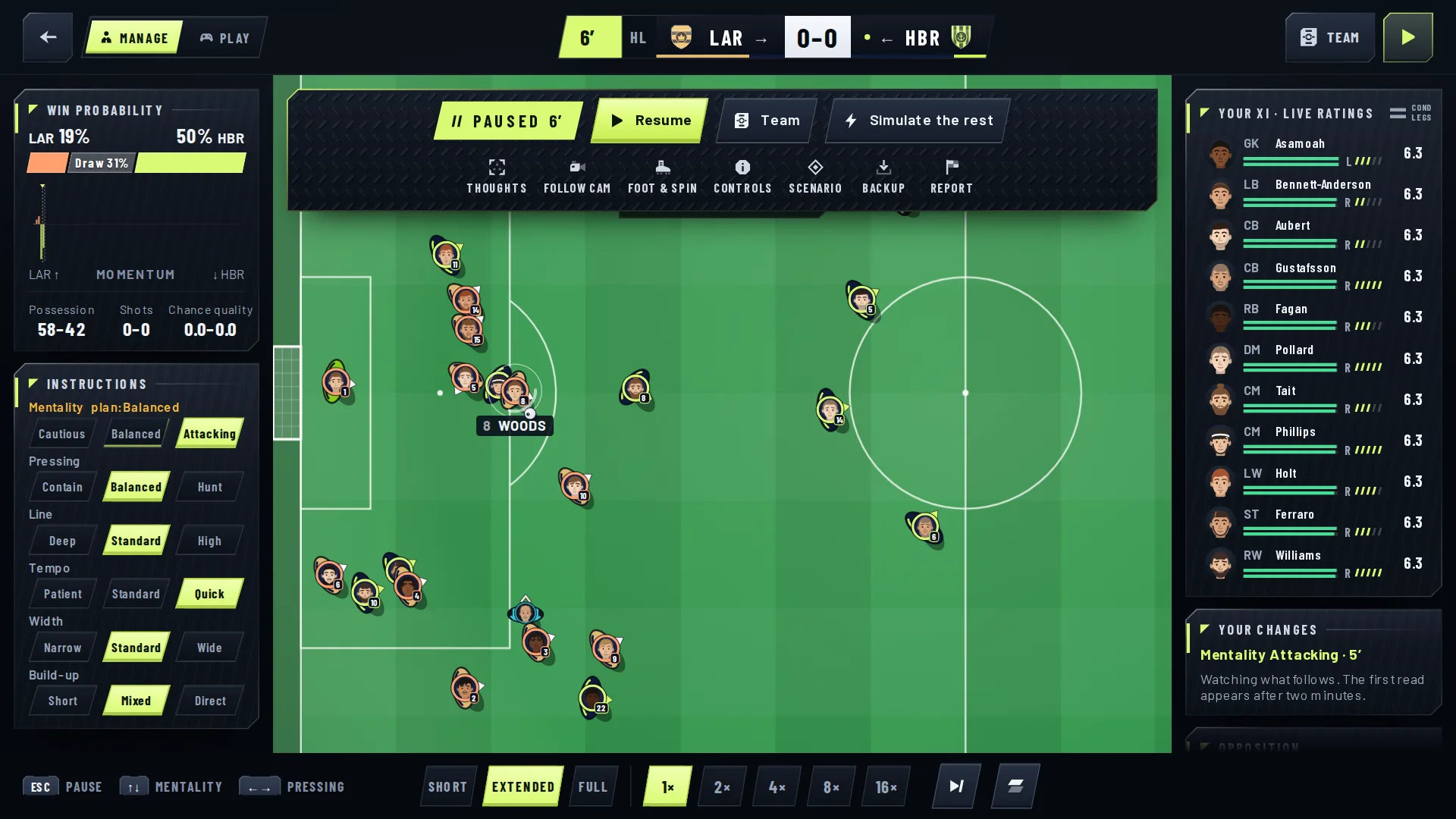
Run it from the touchline.
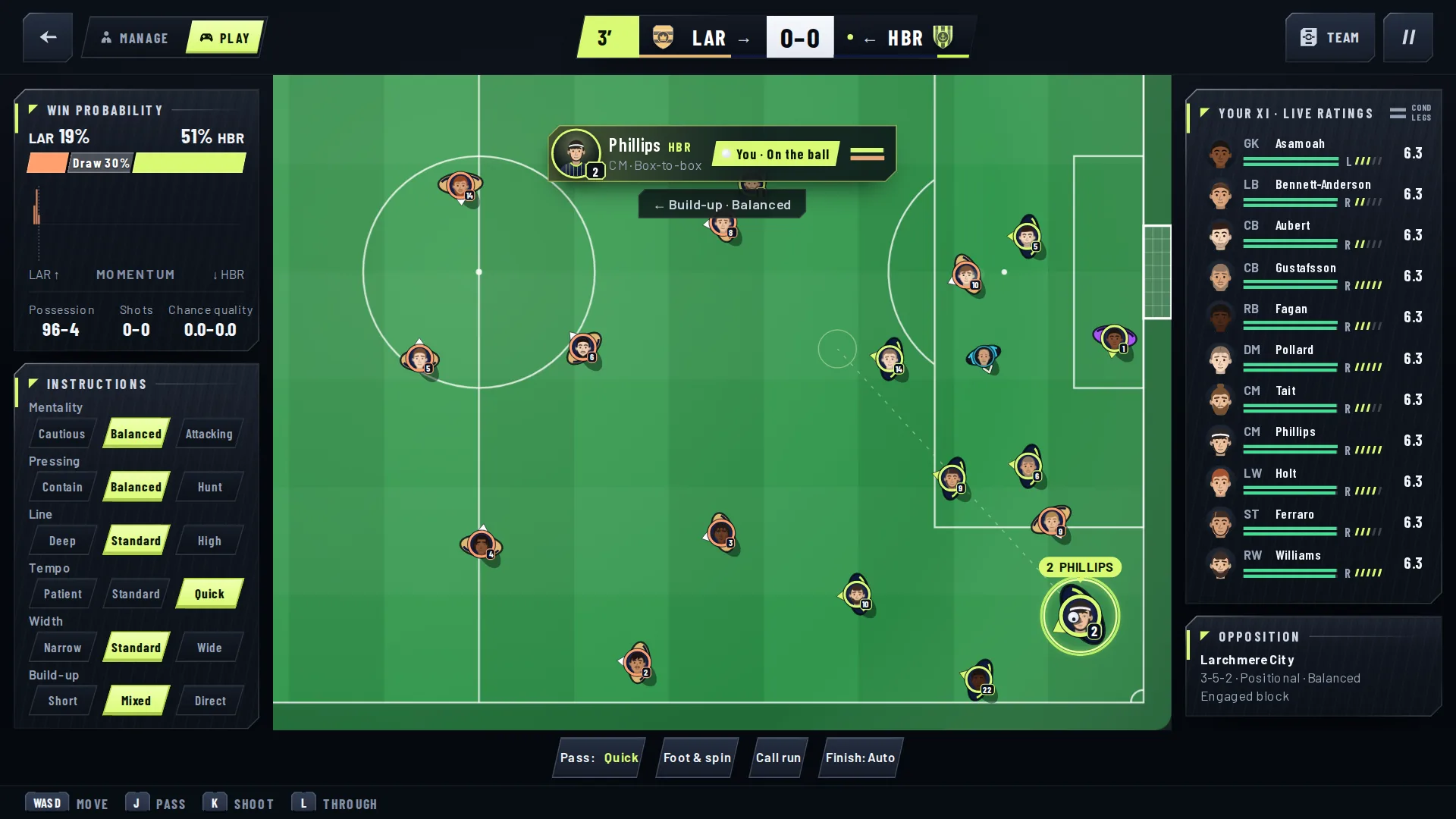
All six of your instructions now sit beside the pitch: mentality, pressing, line, tempo, width and build-up, with the win probability and the match’s key numbers above them. Everything is in view on a laptop screen.
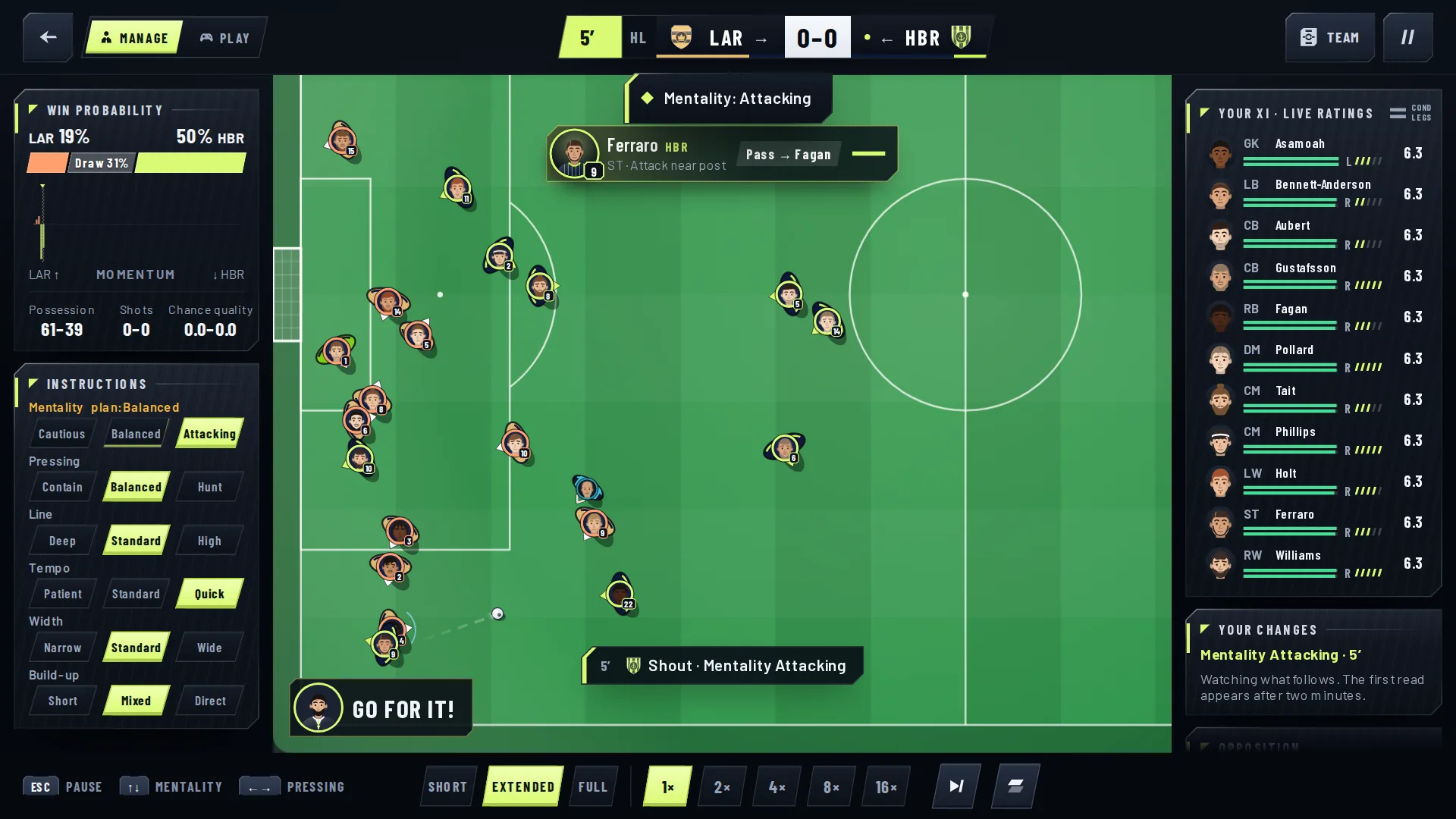
Make a shout with the arrow keys or a controller’s D-pad. Up and down change your mentality, left and right your pressing. Every shout is called out on the pitch, so you see it land.
A controller that feels right.
PlayStation and Nintendo pads now show their own button names. Settings › Controls draws your pad with every button’s job beside it, and tells you when it has found your controller.
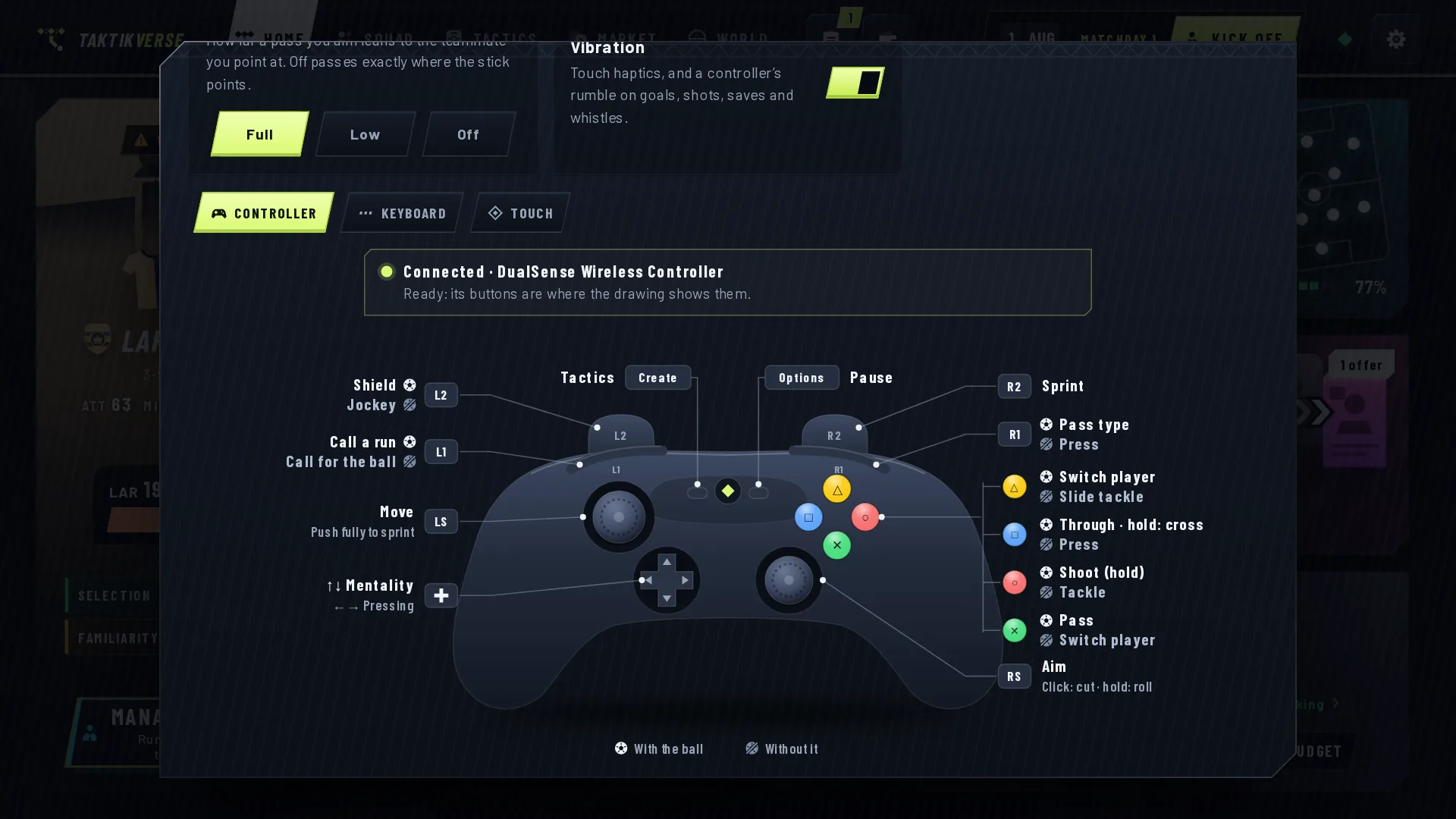
The stick has a proper dead zone and curve. Press pass, shoot or through ball a moment before the ball reaches your man and the game keeps it for him. A dashed ring shows who a switch will give you. On a touch screen you get touch controls; with a pad or a keyboard, they stay out of the way.
Passes that find their man.
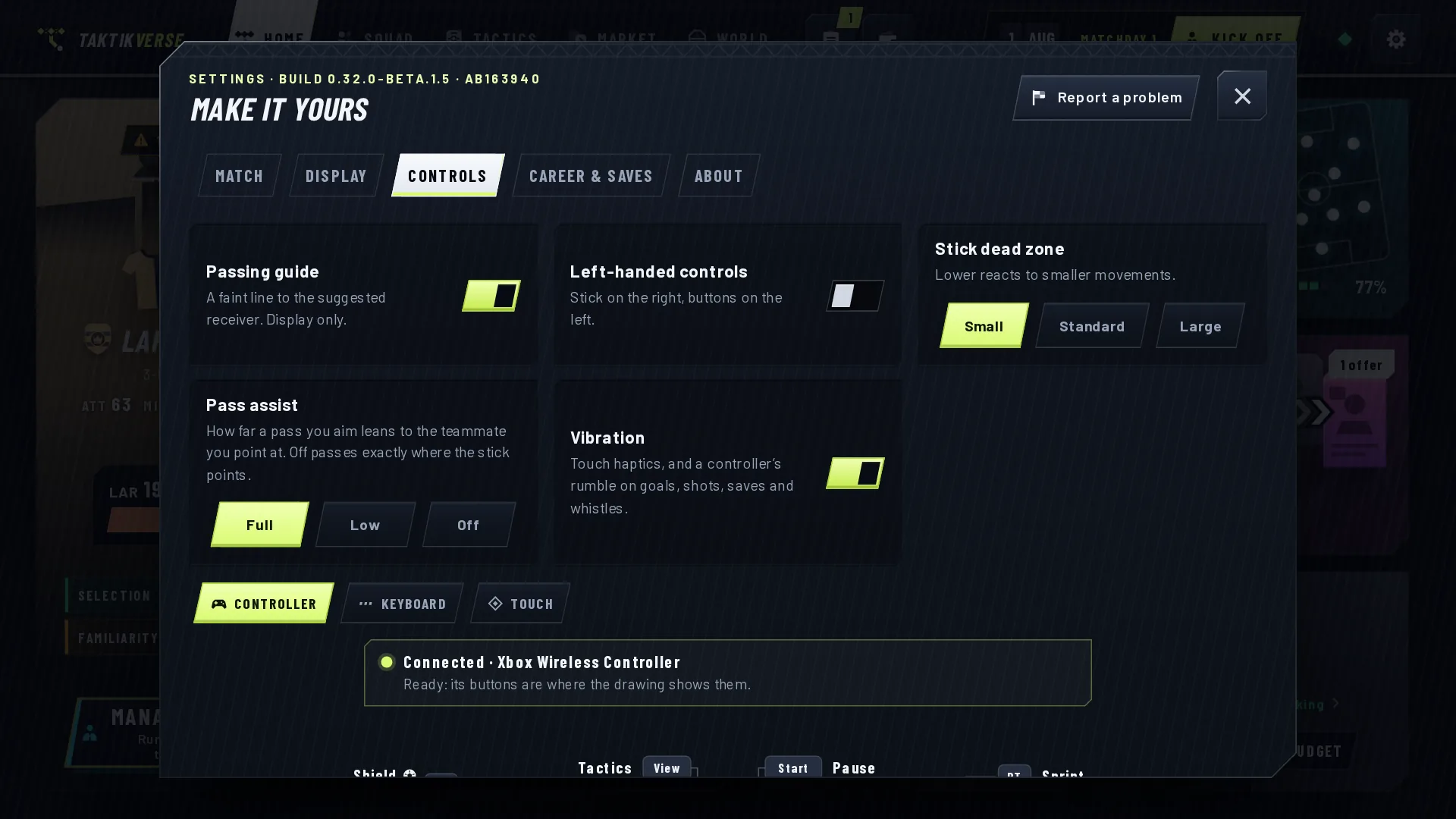
Aim a pass and it leans towards the teammate you’re pointing at, as far as your passer can see him. A better passer finds more. Pass assist in Settings › Controls sets how much: Full, Low or Off.
Let go of the stick and your man plays his role. His first touch takes the ball away from pressure, and a run you call goes where you point.
Quicker.
The match screen does about half the work it used to while a match plays. Continue gets you back to your club sooner, and League › Fixtures loads its forecasts faster.
Your career carries on.
Saves from Beta 1 load and keep going. The match engine hasn’t changed, so a match ends the same way whether you watch it or simulate it.
Also in this update
- Manage, Play and Simulate side by side, the same size, on Home, in the team news and on the Kick off key.
- Your usual way to take each kind of match comes first.
- Settings › Match › How you take a match.
- Simulate the rest, from the pause bar.
- Touchline shouts on the arrow keys and the D-pad, called out on the pitch.
- Button names for PlayStation and Nintendo pads, and a drawing of your pad in Settings › Controls.
- A proper dead zone and curve on the stick.
- A pass, shot or through ball pressed early is kept for your man.
- A ring shows who you’ll switch to.
- Pass assist: Full, Low or Off.
- Touch controls only when you play by touch.
- A quicker match screen, Continue and fixtures.
- Beta 1 saves keep working.
Available now in the Taktikverse: Football beta. It’s free, for players 18 and over, in your browser on a computer or your phone. The first 100 places get straight in, then there’s a waitlist.
Screenshots are from Beta 1.5. Club, competition and player names are fictional.